WaterClean is the watermark-removal tab inside Download SIU — it removes logos, channel bugs
and watermarks from your videos with four different engines — from instant
one-click filters to a local AI that rebuilds what was behind the mark. Draw
over it, or let the app find and follow it for you. Everything is processed
locally on your own PC — one install, no separate app.
Four ways to erase a mark — pick the one that fits the shot
A see-through logo, a solid channel bug, a watermark that bounces around the
screen: each one has a best tool. WaterClean gives you all four and lets you compare the
result before you commit.
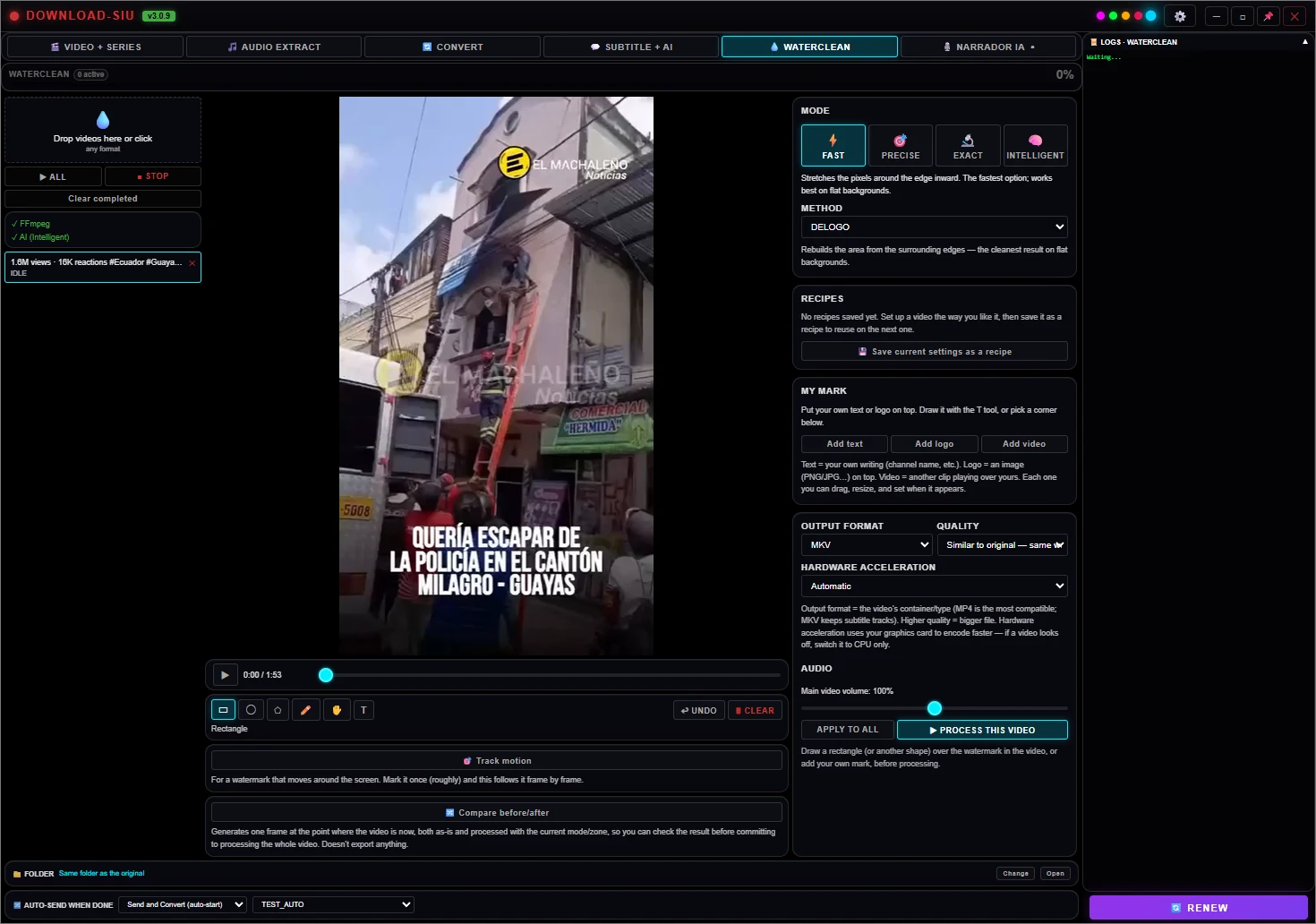
Fast Mode
Instant one-click filters
Built-in reconstruction, blur, pixelate or crop, applied instantly. Runs in
seconds and is light on the CPU. The cleanest choice for a static watermark sitting over a
flat, uniform background.
Reconstruct — rebuilds the area from its edges
Blur / pixelate / crop as alternatives
Adjustable strength
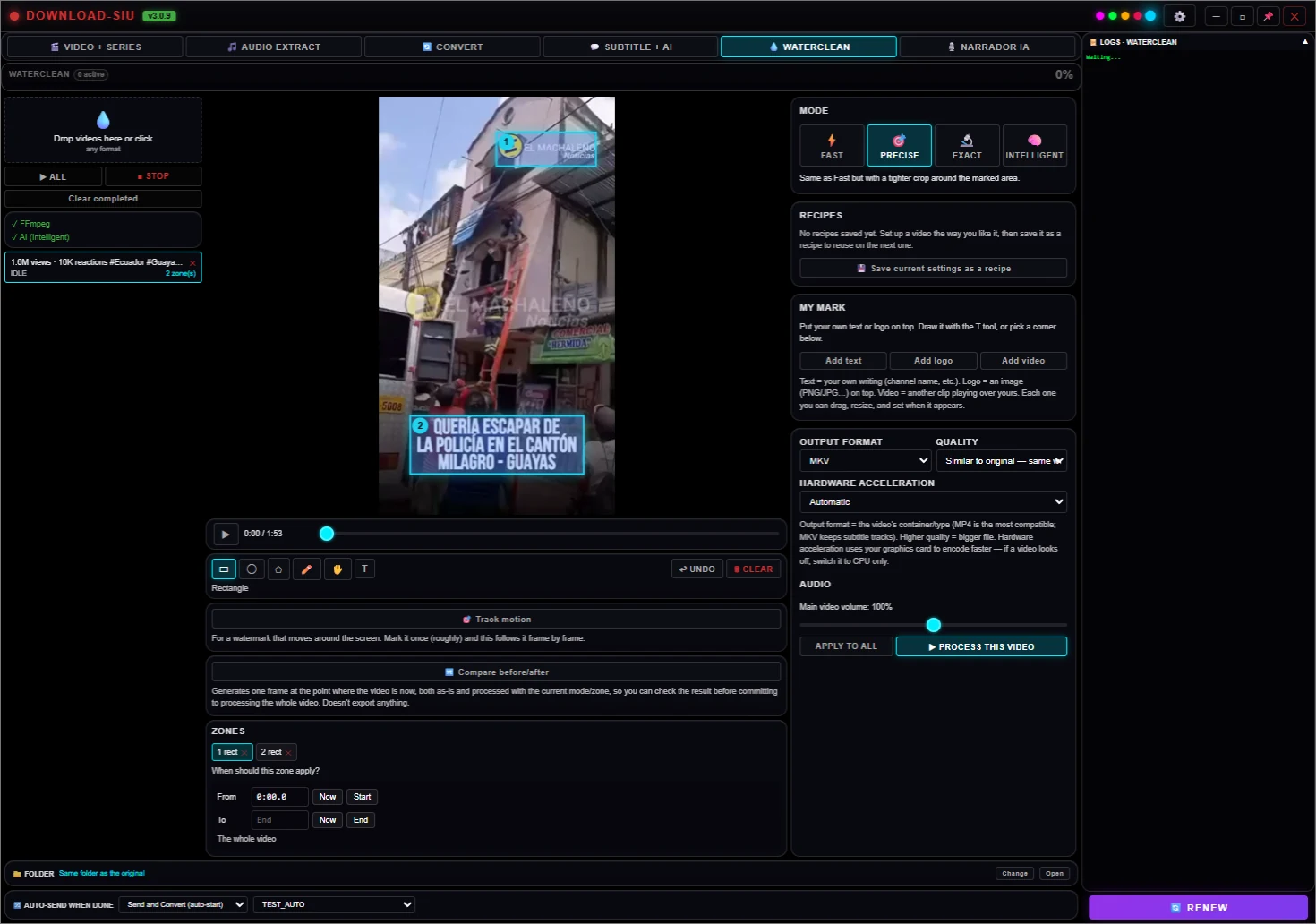
Precise Mode
Draw any shape
Rectangles, circles, ellipses, polygons or freehand. A pixel mask is built from what you
draw and used to erase the marked area. Add as many areas as you need — they all process in
a single pass.
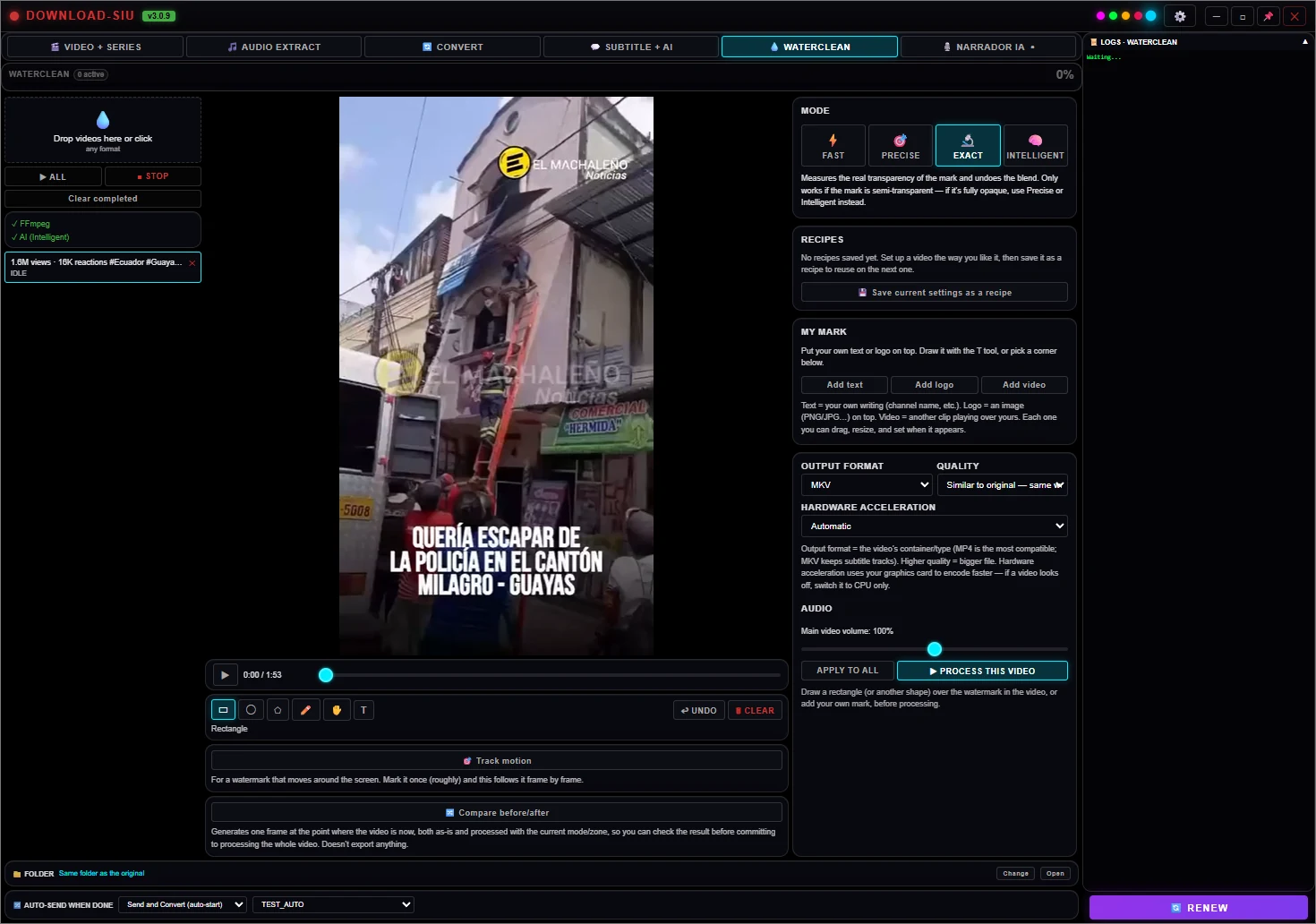
Exact Mode
Un-mix a see-through logo
A translucent watermark doesn't erase what's under it — it blends with it, and a
blend can be reversed. Exact Mode measures how transparent the mark is and recovers the
real pixels instead of guessing. Arithmetic, not a neural net: minutes, not hours.
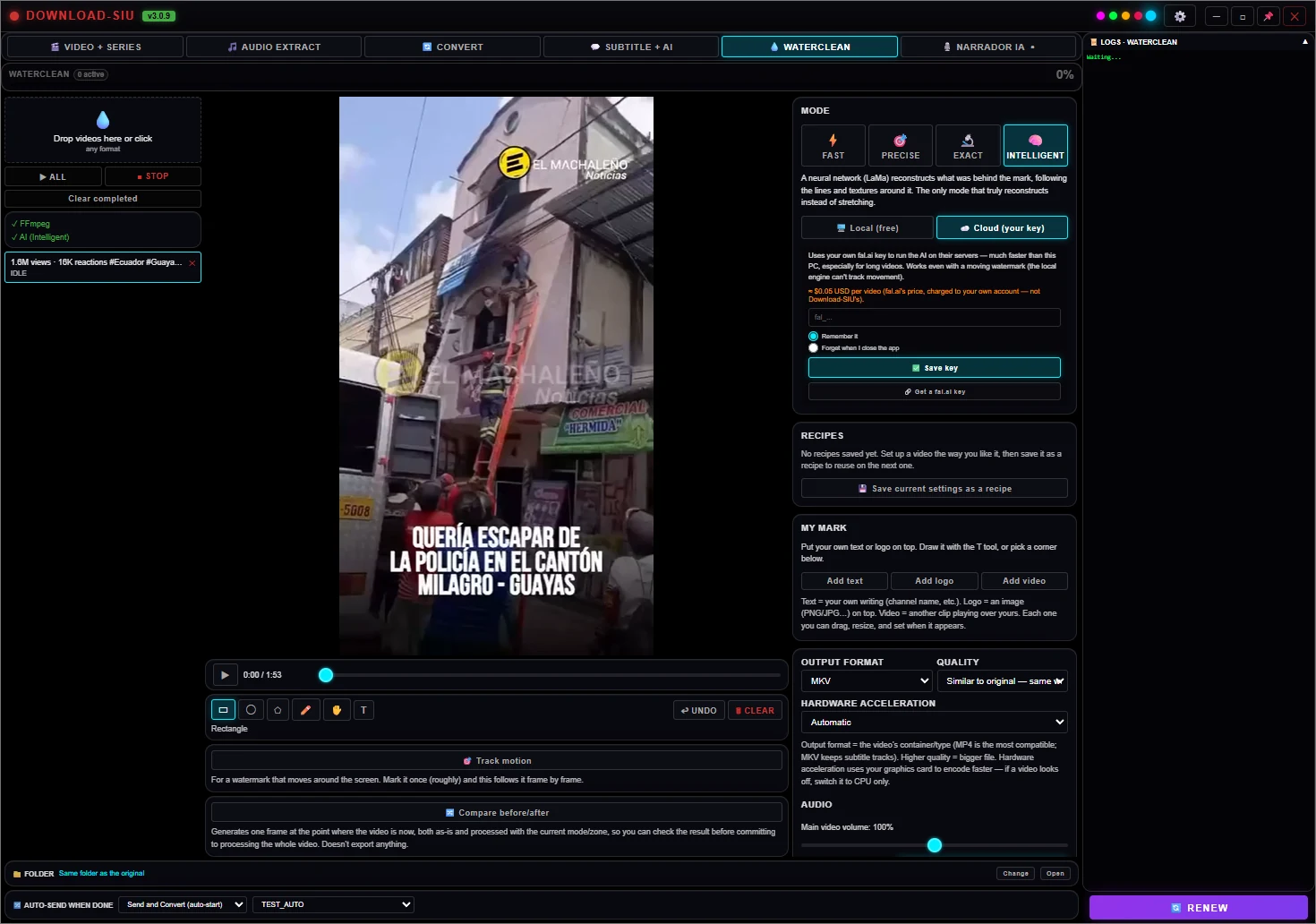
AI Mode
The AI rebuilds what was there
A local AI engine reconstructs the texture and lines behind the watermark — the only mode
that truly recreates instead of smearing. Downloaded once, on demand, and runs entirely on
your PC — nothing is ever uploaded. Optional: if the engine isn't installed yet, this tab
falls back to Precise Mode automatically and tells you so. Never an error.
Runs on your GPU if you have one, your CPU otherwise
Best for textures, motion and fine detail
No Python required — runs straight from the app
Want it faster or higher quality? You can optionally
connect your own account with a cloud AI provider instead — same idea as
Subtitle + AI: your key is encrypted and stays only on your PC, we never see
it, and it's entirely optional.
See it running
One interface, four engines
Switch modes with a click — the queue, your marks and your output settings
stay exactly where you left them.
Fast Mode
Instant one-click filters. The go-to for a static watermark over a flat background.
Precise Mode
Draw any shape by hand — circles, polygons or freehand — for logos of any form.
Exact Mode
Un-mixes a see-through logo and recovers the real pixels underneath.
AI Mode
A local neural network rebuilds what was behind the mark — the only mode that truly reconstructs.
Hands-off
It can find and follow the watermark for you
Auto-detect
Finds the mark without you pointing
The content of a video changes constantly; the watermark doesn't. WaterClean samples 40
frames across the whole file, measures how still each pixel is, and combines that with
edge strength — a logo keeps its sharp outline after averaging, a flat sky turns to mush.
You get candidates with a confidence score; the best one applies itself, the rest are one
click away.
Motion tracking
Follows a mark that moves
For watermarks that move or bounce around the frame, common on short-form vertical video.
Mark it once, press Track motion, and the app follows it frame by frame with
zero-mean normalized cross-correlation — so it holds up even as the background brightness
changes. The path becomes a set of time-boxed removal segments applied only during the
seconds each position is on screen.
How you work with it
Shortcuts & gestures
Everything you need while marking a watermark, without leaving the keyboard.
Esc — close a modal or the before/after comparison
Compare — slider or side-by-side, your choice
Your own mark
Replace it with yours
Once the old watermark is gone, drop in your own text or logo — pick a font, colour,
opacity, rotation, outline, shadow and one of nine anchor positions, or draw it exactly
where you want. Apply it to one video or the whole batch, and choose the exact seconds it
stays on screen.
Recipes
Save a setup, reuse it in one click
Dial in the mode, method, intensity and output format that works for a given source —
optionally with the marked zones — and save it as a named recipe. Next
time, apply it to a new video or the whole batch instantly instead of setting everything
up again.
Output
Keeps what matters
Export to MP4, MKV, MOV or AVI at the quality you choose, with hardware acceleration
(NVENC / QSV / AMF) detected automatically. Subtitles, chapters, fonts and metadata are
carried over when the container allows it — and the app tells you when it can't. The same
app-wide "Clean metadata" switch (and the optional custom-metadata one) applies here too.
Already in your install
If you have Download SIU, you have WaterClean
WaterClean isn't a separate app or a separate purchase — it's a tab inside Download SIU,
unlocked by the same license as everything else. New here? Start the 5-day trial right
inside the app, or pick a plan.