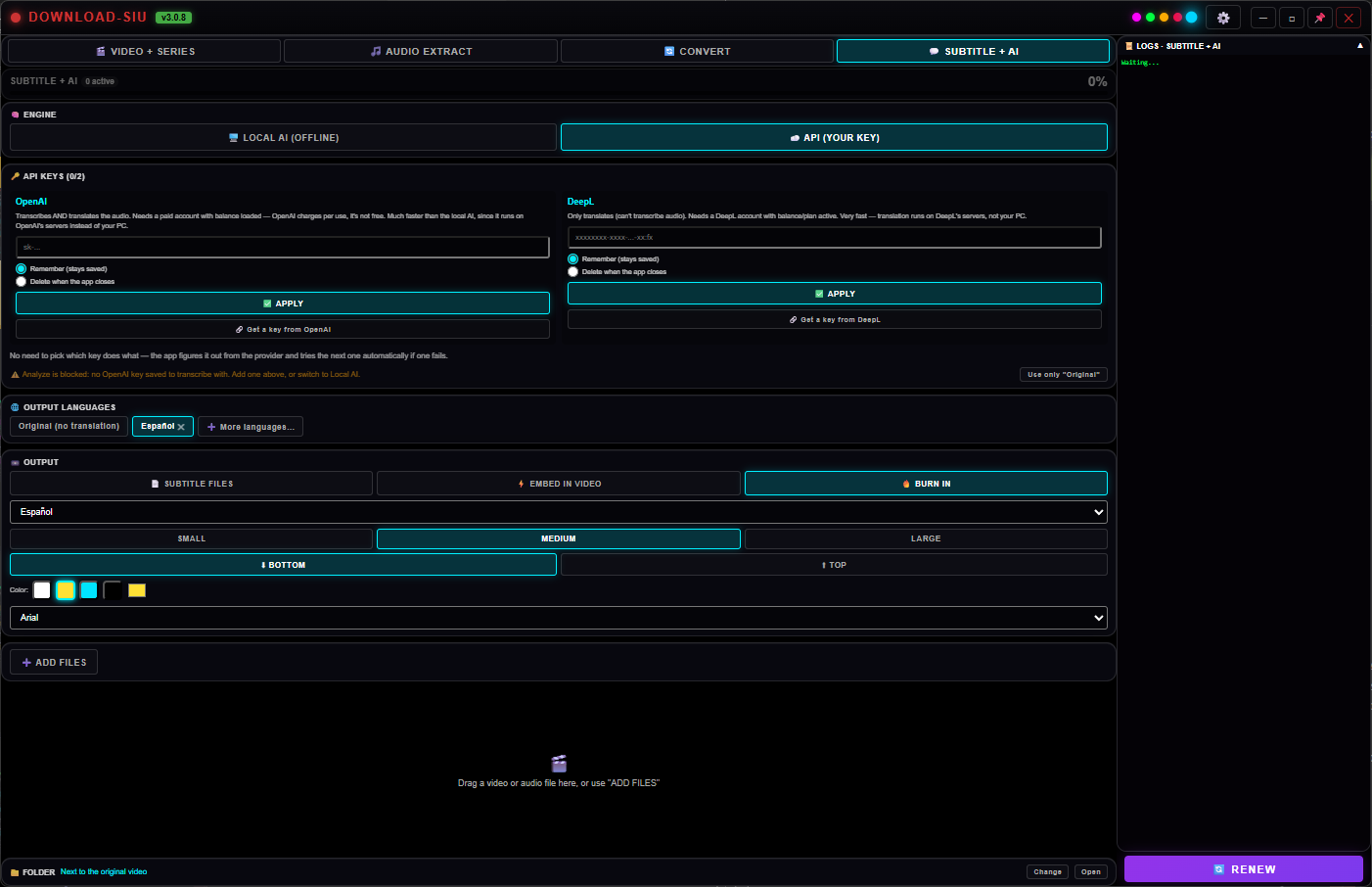
Any video, any language, subtitled by AI in minutes.
Subtitle + AI listens to your video — it transcribes speech in 99 languages,
detected automatically — and can translate it into 75 languages, all at once,
side by side. Run it fully offline with the local AI engine, or plug in your
own OpenAI/DeepL key for extra speed. Export as subtitle files, an embedded track, or burned
directly into the picture with your own font, size and color.
Local AI engine — nothing leaves your PC
Edit every line before exporting
Files, embedded track, or burned in
DOWNLOAD-SIU · SUBTITLE + AI
99 in · 75 outLocal or APILive style preview
99 languages in · 75 outLocal AI — 100% offlineOpenAI & DeepL supportedSubtitle files · Embed · Burn-inSRT · VTT · ASS · SSA · SBVEditable before exportFont, size, color, outlineLoad your own .srtBatch — analyze every file at once99 languages in · 75 outLocal AI — 100% offlineOpenAI & DeepL supportedSubtitle files · Embed · Burn-inSRT · VTT · ASS · SSA · SBVEditable before exportFont, size, color, outlineLoad your own .srtBatch — analyze every file at once
99
Languages in — transcription
75
Languages out — translation
2
Engines — local or API
3
Output modes
0
Uploads, with the local engine
24/7
Support
See it running
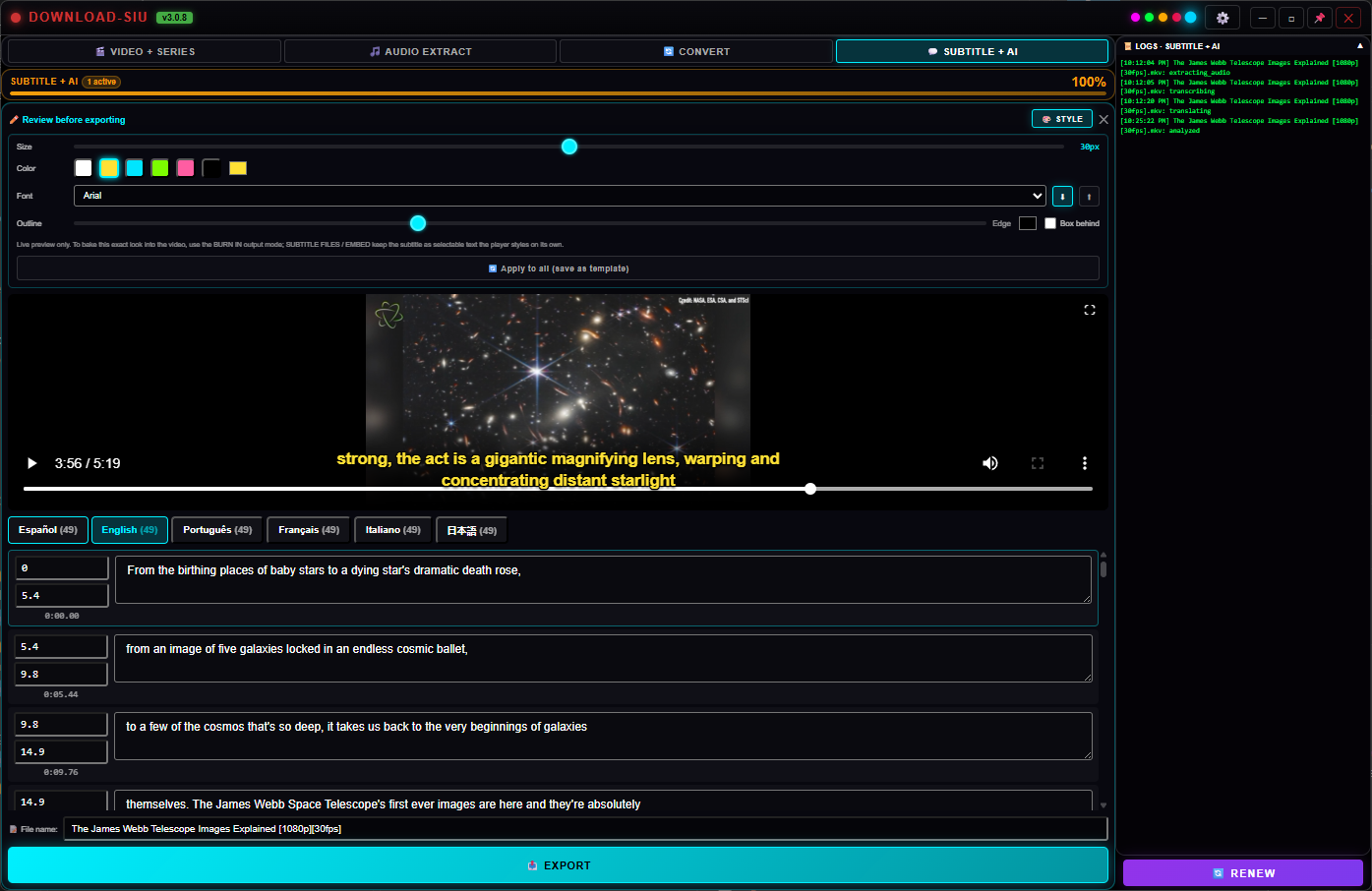
One video in, six languages out — at the same time
Pick as many of the 75 target languages as you want up front.
The AI transcribes the original speech once — from any of 99 auto-detected
languages — and translates into every one you chose, and you can flip between
languages in the editor without re-running anything.
English
Live burned-in preview over the real video, with every timed line editable below.
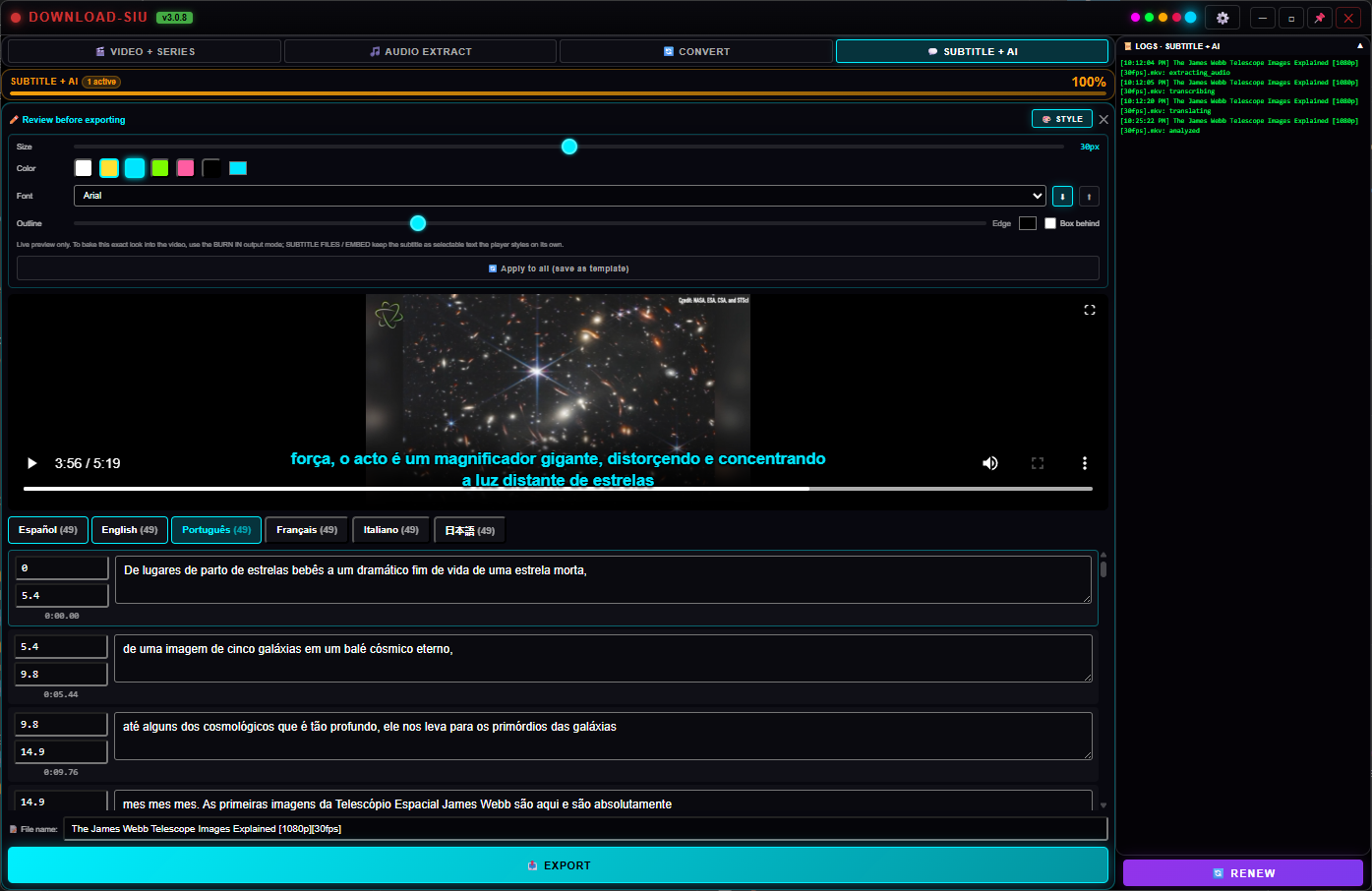
Português
Same video, same timestamps — just switch the language tab.
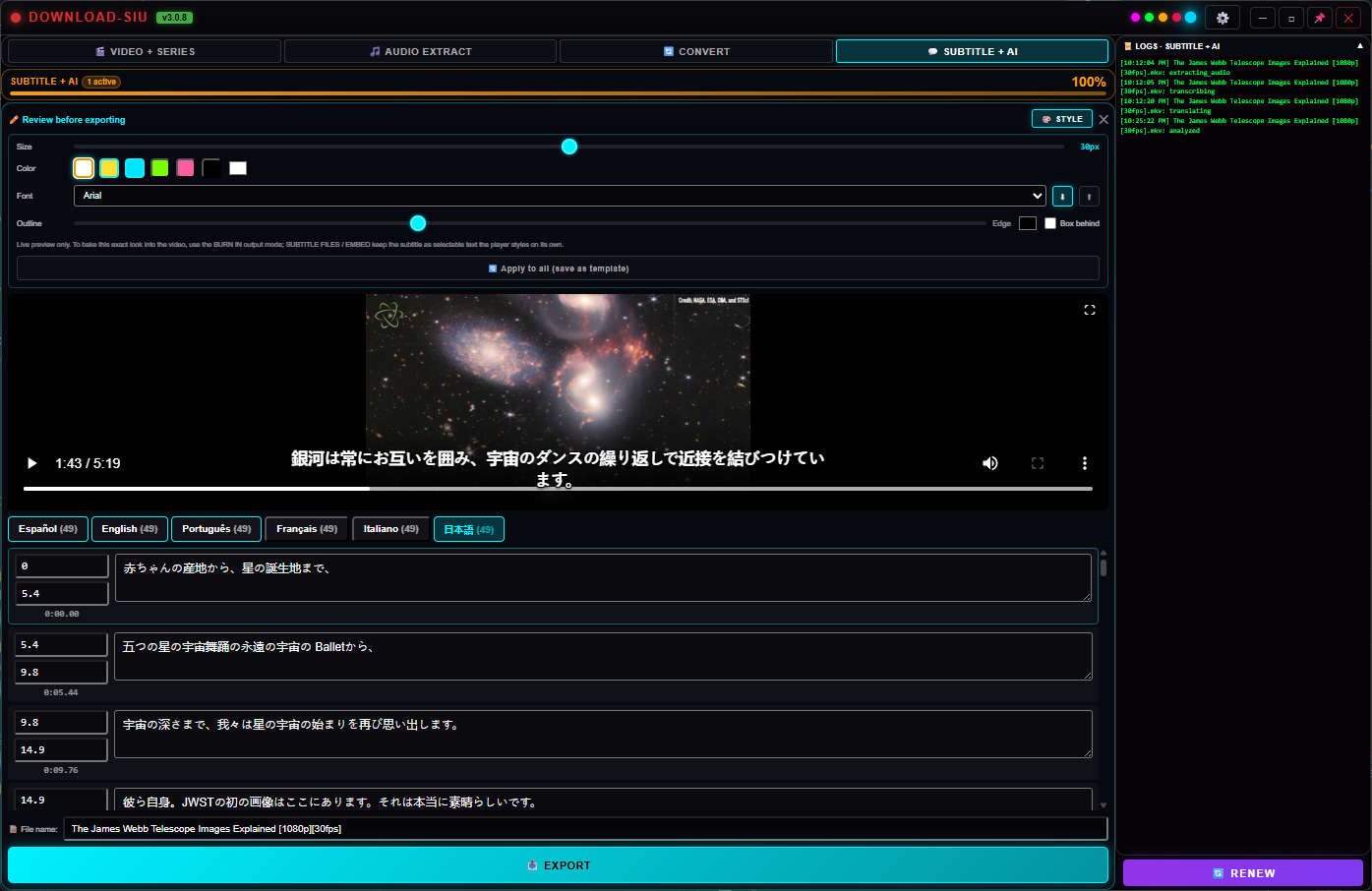
日本語
Non-Latin scripts translate and render correctly, style and all.
Two engines, your choice
Run it offline, or bring your own key
Nobody forces a subscription on you just to get subtitles.
Local AI — offline
Transcribes and translates on your own PC
A local transcription engine (99 languages, auto-detected) and a local translation model
(75 target languages) run right on your machine — no internet needed, no audio or text ever
sent anywhere. Both were upgraded (Aug 2026) to newer, more accurate versions while staying
100% free. The engine downloads the first time you use it (transcription is now a larger,
more accurate Whisper build, ~600MB; translation is a local model, ~1.1GB) so the app
installer itself stays small.
100% private — nothing leaves your PC
No API key, no subscription, no per-use cost
Download the AI once, use it forever offline
OpenAI
Transcribes AND translates
Bring your own OpenAI key for faster processing on their servers instead of your PC.
Needs a paid account with balance loaded.
DeepL
Translation only, very fast
Already have transcripts and just need a translation pass? A DeepL key handles that on
its own, independent of OpenAI.
Automatic fallback
You never pick which key does what
Add a key, choose its provider, and Download SIU figures out on its own what it's good
for — and tries the next saved key automatically if one fails or runs out of balance.
Your key never leaves your PC
You use it. We never see it.
Whichever key you add — OpenAI, DeepL, or any other optional provider — it's encrypted and
saved only on your own computer. The app talks directly from your PC to that
provider under your own account; the key itself is never sent to, logged by, or stored on our
servers. Skip the key entirely and everything still works with the free local engine.
Your subtitles, your way
Files, an embedded track, or burned right in
Subtitle files
SRT, VTT, ASS, SSA or SBV
Plain subtitle files saved next to the video — the video itself is never touched. Pick
the format from a dropdown; it's remembered for next time.
Embed in video
Instant, no re-encoding
Every language becomes its own selectable track inside a copy of the video — the viewer
picks which one to show, same as a movie's subtitle menu.
Burn in
Draws the text onto the picture, styled the way you like
Font family, size, text color, outline thickness and color, an optional background box,
top/bottom position, and an adjustable width so long lines wrap neatly
inside the frame — all with a live preview right over the real video
before you export anything. Edit any line's text or timing first if the AI got something
wrong. Save a style once and apply it to every other file waiting in the queue.
Load your own .srt/.vtt/.ass instead of transcribing — style and burn it the same way
Adjustable subtitle width keeps text inside the frame, even on vertical video
Re-open a finished export to tweak the style and export again — no need to re-run the AI
Vertical 9:16
Auto-crop to TikTok, Reels and Shorts
Turn a normal wide video into a vertical 9:16 clip in the same pass that burns the
subtitles — no separate editor. Optional face tracking keeps the speaker centered as they
move, instead of a fixed middle crop.
One export straight to 1080×1920, subtitle already burned in
Optional face tracking (a small on-demand AI pack)
Falls back to a centered crop if no face is found — never blocks the export
Karaoke mode
Sing-along, with the vocals pulled out
Add the instrumental track from the built-in voice/music separation as an extra, selectable
audio track alongside the original — so a viewer can switch to the music-only version and
follow the burned-in words karaoke-style.
Keeps the original audio too — nothing is replaced
Powered by the same free local separation engine
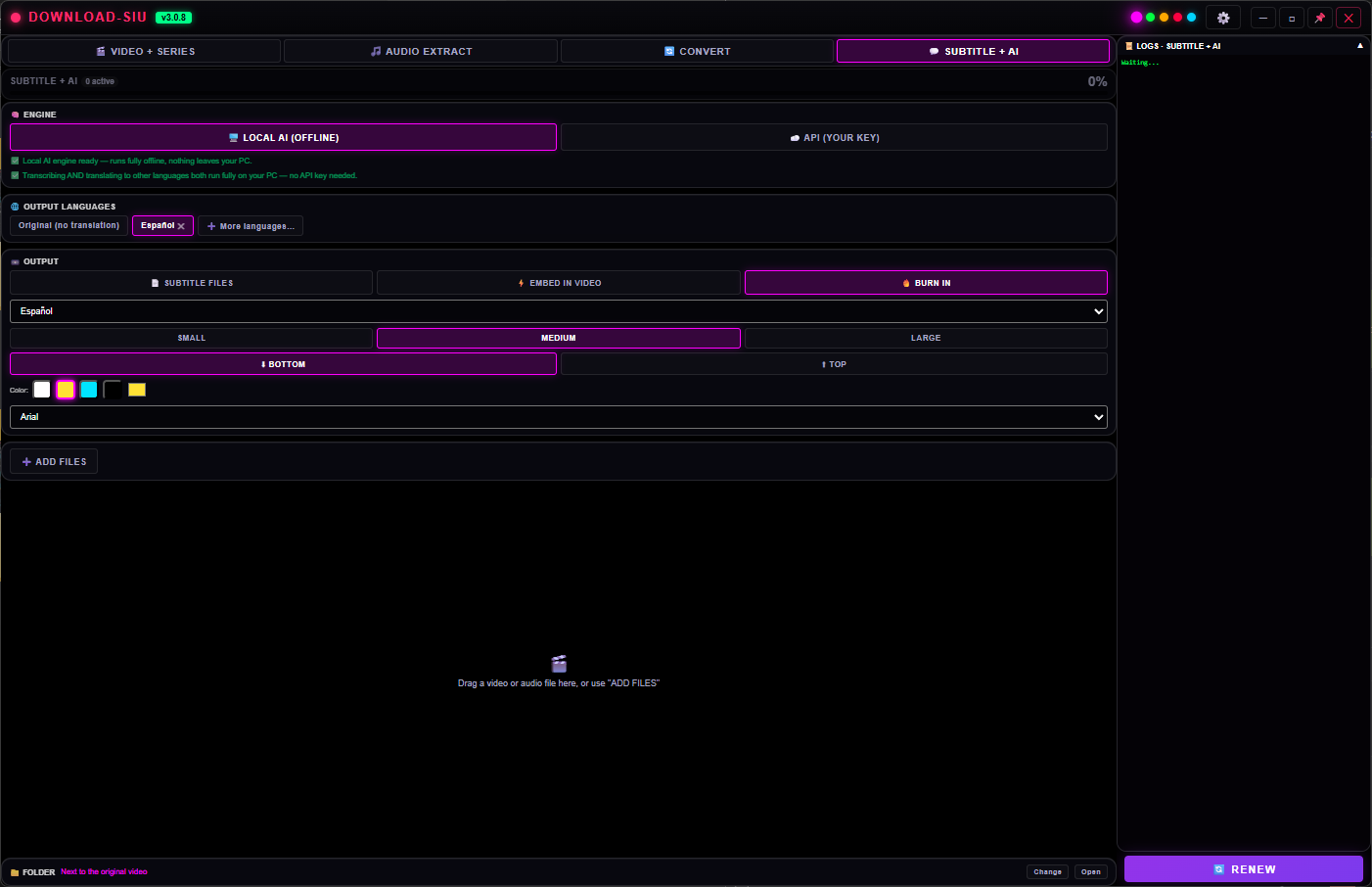
Matches your theme
Five themes. Same tab.
Subtitle+AI looks like the rest of Download SIU — pick a theme once in Options
and every tab follows.
Violet
Crimson
Included with Download SIU
One app, one license, every tab
Subtitle + AI isn't a separate purchase — it's one of the tabs inside Download SIU, alongside
the downloader, Convert and Audio Extract. Start the 5-day trial right inside the app, or
pick a plan.